


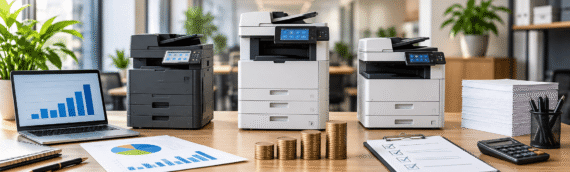
Best Office Copiers: Compare Features, Pricing, and Service Options
Choosing an office copier requires more than looking at the purchase price. Businesses also need to consider print speed, paper capacity, scanning, wireless printing, security, operating costs, and technical support. The right choice depends on how much your office prints and which features your daily work requires.
Comparing these factors can make it easier to identify the best office copiers for different work environments. Commercial Copy Machine provides an overview of the main points businesses should review when comparing copier options, including performance, running costs, features, and service considerations.
Start With Your Office Printing Needs
The first step is to understand what your office actually needs from a copier. A machine designed for occasional printing may not be suitable for an office that handles a large volume of documents every day.
Consider these basic requirements before comparing models:
- Estimate how many pages your office prints during a normal work period.
- Look at the pages-per-minute, or PPM, rating of each copier.
- Check how much paper the machine can hold at one time.
- Consider whether your staff needs wireless printing capabilities.
- Review scanning functions and compatibility with existing office technology.
Print volume is especially important because PPM can help you understand whether a copier is suited to your workload. A higher printing volume generally makes speed more important, while smaller offices may have different priorities.
Compare Print Speed and Paper Capacity
Print speed can affect how easily employees complete everyday document tasks. If several people regularly need printed documents, a slower machine may require more waiting between jobs.
The source information highlights different printing speeds across the reviewed copier options, with some machines reaching approximately 40 PPM, while another reviewed model reaches 65 PPM and another reaches 75 PPM. These figures show why PPM should be part of any comparison.
Paper capacity is another useful factor. A copier that can store more paper may require fewer interruptions for busy offices. When comparing the best office copiers, consider both speed and paper storage instead of judging performance from one specification alone.

Look at Scanning and Wireless Features
Printing is only one part of office document work. Many businesses also scan documents, move files between devices, and need their copier to work with existing office technology.
The available information recommends checking scanning abilities, wireless printing, and compatibility with office technology. These features can influence how easily employees use the copier during normal work.
Some reviewed options have limitations in their scanning functions, while wireless printing capabilities can also vary. Therefore, businesses should review the specific functions available rather than assuming that every copier provides the same experience.
Understand the Purchase and Running Costs
Price should not be judged only by the amount paid when purchasing the machine. Ongoing supply costs can also affect the total expense of using a copier.
The source information shows that some reviewed machines have higher ink or toner costs per page. One example has an estimated cost of about 9.2 cents per page with standard cartridges, while some lower-range options can exceed 10 cents per page. These figures come from the source page and are specific to the products discussed there.
Some machines may also have higher upfront costs while offering better-rated toner and drum yields. This makes it important to consider both the initial expense and the cost of supplies over time.
| Cost factor | What to compare |
| Purchase cost | How much does the copier cost upfront |
| Toner or ink | The ongoing cost of replacement supplies |
| Page yield | How many pages can supplies produce |
| Drum yield | Expected use before drum replacement |
| Long-term expense | How supply costs affect regular use |
Looking at these areas together gives businesses a clearer way to compare pricing.
Consider Toner and Supply Replacement
Toner replacement is another practical issue for busy offices. Frequent replacement can interrupt normal work, while better-rated yields may reduce how often supplies need to be changed.
The source notes that certain reviewed options have easy procedures for replacing toner and paper. It also highlights high-rated yields for toner and drums in some cases.
However, supply costs can vary considerably. Some lower-priced machines may have more expensive toner costs, which can make the overall expense less attractive over time. For this reason, businesses should compare supply requirements instead of focusing only on the initial machine price.
Check Reliability and Common Issues
Reliability is another factor worth reviewing before choosing a copier. Even a machine with useful features can become difficult to manage if users frequently experience technical problems.
The source information reports different concerns across the reviewed options, including networking issues, parts failures, limited scanning features, and concerns about customer service. It also notes that some machines provide consistent print quality and high operating speeds.
This shows why businesses should look beyond specifications. Reviews can help reveal how a copier performs during regular use and whether users have reported problems that could affect their workflow.

Match Features With Your Workload
There is no single copier that will suit every office. A business with high printing needs may place greater importance on PPM, paper capacity, toner yield, and reliability. Another office may care more about scanning, wireless printing, ease of use, or security.
The best office copiers should therefore be judged against the actual needs of the business. A useful comparison should consider:
- Printing volume and required speed.
- Paper storage and supply replacement.
- Scanning and wireless printing needs.
- Compatibility with office technology.
- Security and ease of operation.
- Upfront and ongoing costs.
- Technical support and reported reliability.
This approach keeps the decision focused on practical requirements rather than a single feature.
Conclusion
Selecting an office copier is a decision that should be based on everyday business needs rather than on one feature or price point. Print volume, PPM, paper capacity, scanning, wireless printing, security, supply costs, and technical support all deserve attention.
Reviews can also help identify potential reliability or service concerns before a purchase. By comparing these factors together, businesses can narrow their options and choose equipment that fits their workload. Commercial Copy Machine offers information that can help businesses understand these considerations when reviewing office copier options.